 775-336-4000




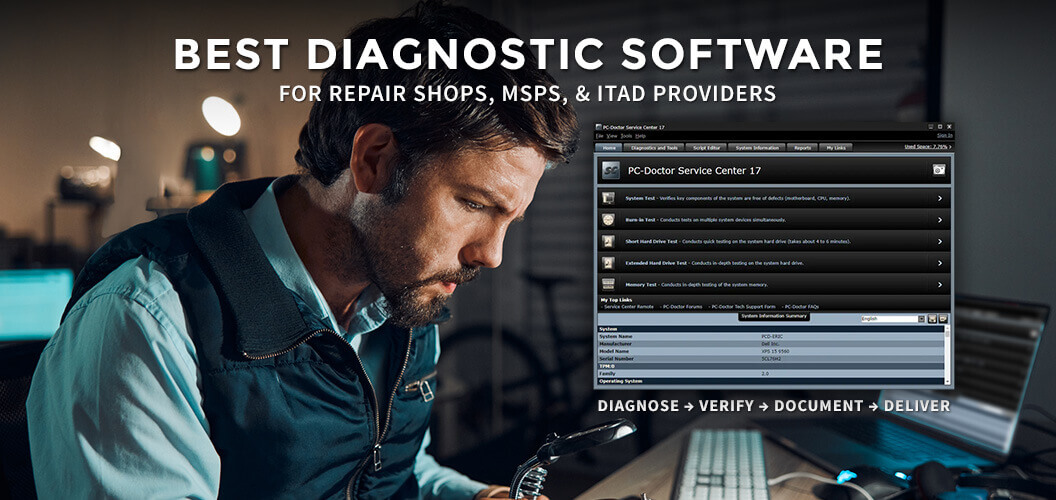
When customers hand over a laptop, desktop, workstation, or mobile device for repair, they expect more than guesswork.
They expect answers. They expect proof.
And, they expect the issue to actually be resolved the first time.
That’s why modern repair operations are moving away from inconsistent technician troubleshooting and toward standardized diagnostic workflows powered by professional hardware testing software.
The best diagnostic software for computer repair shops does more than run tests. It helps shops:
- diagnose hardware accurately
- reduce repeat repairs
- avoid no-fault-found returns
- verify repairs before device pickup
- improve customer trust
- document outcomes professionally
- securely erase drives when devices are recycled or resold
For repair shops, IT departments, MSPs, refurbishers, and ITAD providers, diagnostic software is no longer optional operational overhead.
It’s part of running a defensible repair process.
What Makes Diagnostic Software “Best” for Repair Shops?
Not all PC diagnostic tools are built for professional environments.
Many free or consumer-focused utilities only provide fragmented testing, limited reporting, or basic system information. That may be enough for hobby troubleshooting, but not for shops managing customer devices, warranties, resale inventory, or technician workflows.
The best diagnostic software for computer repair shops should provide:
1. Comprehensive Hardware Testing
Professional repair shops need more than SMART checks and basic benchmarks.
A proper diagnostic platform should test:
- memory (RAM)
- storage drives
- CPU
- motherboard components
- battery health
- GPU
- wireless networking
- display
- keyboard and input devices
- ports and connectivity
- sensors and embedded hardware
The goal is to isolate hardware faults quickly and consistently.
2. Standardized Technician Workflows
One of the biggest hidden costs in repair operations is inconsistency.
If every technician tests differently:
- results vary
- issues get missed
- customer trust suffers
- repeat repairs increase
Standardized diagnostics help every technician follow the same repeatable process across every device.
That consistency matters.
3. Professional Reporting
Customers trust documented results more than verbal explanations.
Professional reporting allows shops to:
- prove hardware condition
- show completed testing
- document failed and/or replaced components
- support warranty claims
- reduce disputes
- increase transparency
Clear reports also help shops justify repairs and improve perceived professionalism.
4. Multi-Environment Support
Modern repair environments work across multiple operating systems and hardware types.
The best diagnostic software should support:
- Windows
- macOS
- ChromeOS
- Android
- bootable offline diagnostics
This flexibility helps shops handle a wider range of devices without juggling disconnected tools.
5. Secure Drive Erase Capabilities
Many repair shops and ITAD providers also handle:
- trade-ins
- recycled devices
- customer drive replacements
- resale inventory
That means certified data erasure becomes critical.
Secure drive erase software helps:
- protect customer data
- reduce liability
- prepare systems for resale
- align with standards like NIST 800-88
This is especially important for repair shops expanding into refurbishment or resale operations.
Why Many Repair Shops Struggle With Diagnostics
A surprising number of repair businesses still rely heavily on:
- manual troubleshooting
- disconnected utilities
- inconsistent testing procedures
- technician intuition
That creates operational problems:
- missed intermittent failures
- repeat customer visits
- unnecessary part replacements
- “No Problem Found” outcomes
- slower turnaround times
The issue usually isn’t technician skill. It’s the lack of a standardized system.
The Shift Toward Defensible Repair Processes
Professional repair shops are increasingly adopting process-driven workflows similar to enterprise repair depots and manufacturers.
Instead of: “I think the issue is fixed.”
The process becomes:
Diagnose → Verify → Document → Deliver
That operational shift helps shops:
- scale more effectively
- train technicians faster
- improve consistency
- reduce callbacks
- create more trustworthy customer experiences
And it creates something extremely valuable: defensible outcomes
Why PC-Doctor Service Center Stands Out
PC-Doctor Service Center is designed specifically for professional repair environments that need more than basic consumer diagnostics.
It combines:
- comprehensive hardware testing
- workflow consistency
- professional reporting
- multi-platform support
- secure drive erasure
into a unified operational toolkit.
Key Features of Service Center
Extensive Hardware Diagnostics
Service Center includes hundreds of hardware tests covering:
- CPU
- RAM
- storage
- motherboard
- battery
- graphics
- networking
- ports and peripherals
This allows technicians to isolate faults more efficiently and consistently.
Multi-Platform Support
Service Center supports diagnostics across:
- Windows
- macOS
- ChromeOS
- Android
- bootable environments
That flexibility is especially useful for repair shops handling mixed-device environments.
Professional Customer Reports
Detailed reporting helps repair shops:
- verify repairs
- prove device condition
- improve customer communication
- support warranty documentation
Reports can also help strengthen customer confidence during repair recommendations.
Workflow Standardization
Service Center helps create repeatable testing processes across technicians and locations.
That operational consistency can help reduce:
- no-fault-found returns
- missed failures
- repeat repairs
- inconsistent repair quality
Secure Data Erasure With Drive Erase
For repair shops, IT departments, MSPs, refurbishers, and ITAD providers handling customer storage devices, secure data sanitization is increasingly important.
Service Center Drive Erase helps organizations securely erase drives with audit-ready reporting aligned to recognized erasure standards.
This is especially valuable for:
- resale preparation
- drive replacement workflows
- recycling operations
- device trade-ins
- customer data protection
Instead of relying on basic formatting or deletion, certified erasure helps ensure sensitive data is actually removed.
Who Should Use Professional Diagnostic Software?
Professional diagnostic platforms are especially valuable for:
- computer repair shops
- MSPs
- IT departments
- refurbishers
- ITAD providers
- electronics recyclers
- educational repair operations
- enterprise repair depots
Any organization managing device intake, testing, repair verification, or resale workflows can benefit from standardized diagnostics.
What to Look for Before Choosing Diagnostic Software
Before selecting a diagnostic platform, repair shops should evaluate:
Reporting Quality
Can the software produce professional reports customers can understand?
Workflow Consistency
Can every technician follow the same testing process?
Platform Coverage
Does it support the devices your shop actually services?
Offline Diagnostics
Can testing be performed outside the installed operating system?
Data Erasure
Does it support secure drive sanitization workflows?
Scalability
Will the software still work as your operation grows?
The Future of Repair Shops Is Process-Driven
The repair industry is evolving.
Shops that rely entirely on informal troubleshooting and technician memory will increasingly struggle to scale consistently.
The shops that grow successfully are building:
- repeatable workflows
- standardized testing
- documented outcomes
- defensible repair processes
Professional diagnostic software plays a central role in that transformation.
Final Thoughts
The best diagnostic software for computer repair shops is not just about finding hardware failures.
It’s about creating a more reliable, professional, and scalable repair operation.
For shops looking to improve consistency, reduce repeat repairs, verify device condition, and integrate secure drive erasure into their workflow, solutions like PC-Doctor Service Center and Service Center Drive Erase provide a process-driven approach built for real-world repair environments.
Because modern repair operations need more than diagnostics alone.
They need systems that help prove outcomes.
Frequently Asked Questions
What diagnostic software do computer repair shops use?
Professional repair shops often use hardware diagnostic software that can test components, generate reports, and standardize technician workflows across multiple device types and operating systems.
What is the best hardware diagnostic software for repair shops?
The best diagnostic software for repair shops should provide comprehensive hardware testing, professional reporting, multi-platform support, and repeatable testing workflows that help reduce repeat repairs and inconsistent results.
Can diagnostic software detect failing hardware?
Yes. Professional diagnostic software can help identify failing components such as RAM, storage drives, batteries, CPUs, and other hardware issues that may not be immediately visible during basic troubleshooting.
Why do repair shops use professional diagnostics instead of free tools?
Professional diagnostic platforms help standardize testing, improve reporting, reduce missed failures, and create more defensible repair workflows compared to disconnected free utilities.
Can PC-Doctor Service Center generate customer reports?
Yes. PC-Doctor Service Center includes professional reporting tools that help technicians document hardware condition, completed testing, and repair verification results.
Does PC-Doctor Service Center support secure drive erase?
Yes. Service Center Drive Erase helps securely sanitize storage devices with audit-ready reporting aligned to recognized data erasure standards.
Can diagnostic software work outside of Windows?
Some professional diagnostic platforms support bootable environments that allow hardware testing even when the operating system is unstable or unable to load properly.
What types of businesses use professional diagnostic software?
Computer repair shops, IT departments, MSPs, refurbishers, and ITAD providers, enterprise repair depots, and electronics recyclers commonly use professional diagnostic and drive erase software.

