 775-336-4000




Last technical review: September 29, 2026 by PC-Doctor Engineering
Physical destruction is required when policy demands it, when the drive can’t complete a verified erase, or when the media can’t reach the sanitization level the data requires. Otherwise, a verified Purge lets the drive be reused or resold. Degaussing only works on magnetic drives. Shredding works on everything. Wiping works on both, if the drive supports the right commands and the policy accepts the result.
That paragraph is the whole decision. Most operations don’t make it. They destroy by default, because destruction feels safe, or they wipe by default, because wiping preserves value. Both defaults are wrong for some fraction of every batch.
What Each Method Actually Does
Wiping
A software or firmware erase that leaves the drive usable. On a hard drive, an overwrite of every user-addressable sector defeats ordinary recovery. On a solid-state drive, a firmware sanitize or cryptographic erase is required, because overwriting can’t follow the controller’s remapping. Done right and verified, a wipe reaches the Purge level under NIST 800-88 or IEEE 2883, and the drive goes back into inventory.[1][2]
Degaussing
A powerful magnetic field applied to the drive scrambles the magnetic domains that store data on the platters. It also destroys the servo tracks the drive uses to find anything, so a degaussed hard drive is not reusable. That’s fine; it was never meant to be.
Degaussing does nothing to a solid-state drive. Flash stores charge in cells, not orientation in magnetic domains. An SSD that has been through a degausser is an SSD with all of its data still on it.
One more caution: the degausser has to be rated for the drive. Newer high-coercivity hard drives need stronger fields than older units. The NSA/CSS Evaluated Products List publishes which degaussers are approved for which media, and a degausser that isn’t on it should be treated as unverified.[3]
Shredding
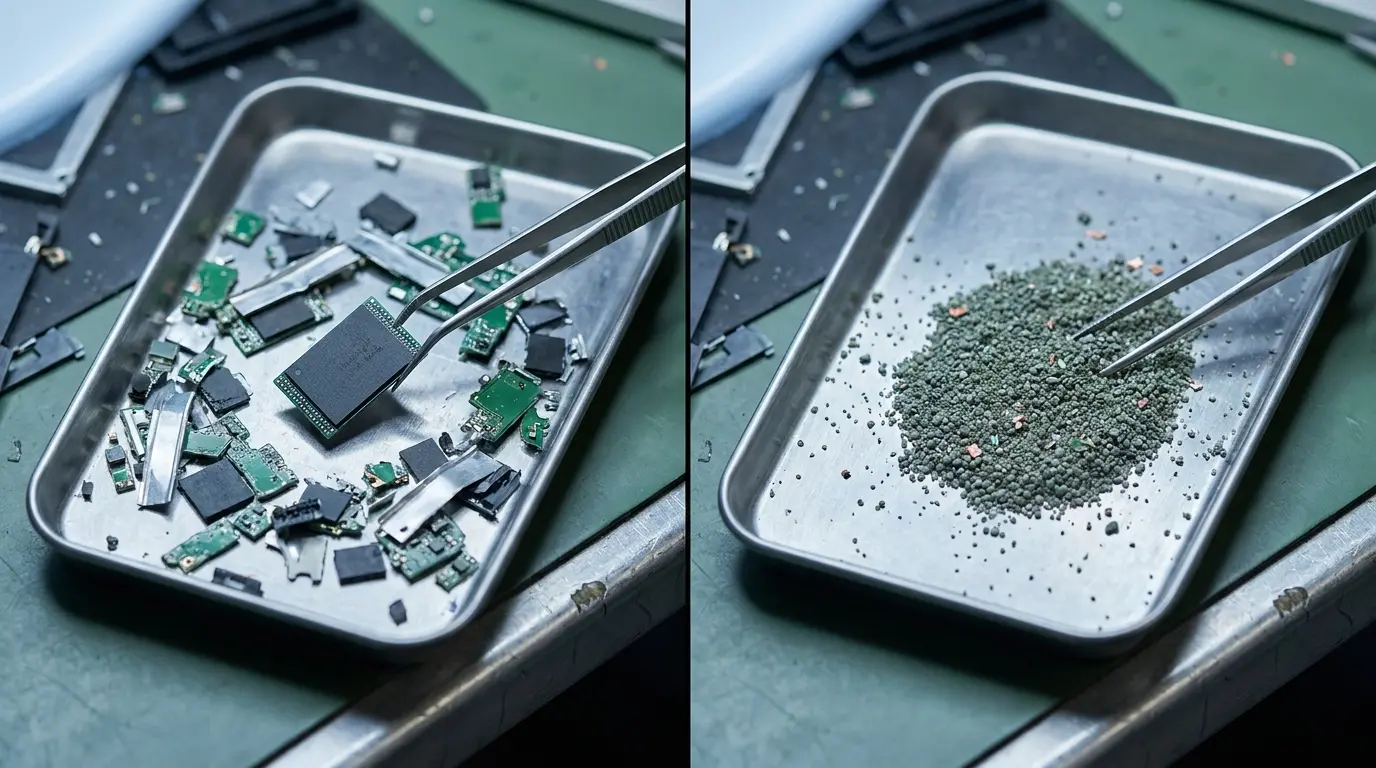
Mechanical destruction of the media into fragments. It works on hard drives and solid-state drives alike, which is why it’s the default for operations that don’t want to think about media type. Whether the fragments are small enough depends on the media and the policy: an SSD’s flash packages are small, and a shred that would obliterate a platter can leave a NAND die intact. Particle-size requirements for classified material are specified by the NSA/CSS EPL; for commercial data, the organization’s policy sets the bar.[4]
The Decision Table
| Hard drive (HDD) | Solid-state drive (SATA / NVMe) | Result | |
|---|---|---|---|
| Wipe (verified firmware erase or overwrite) | Purge or Clear, depending on method | Purge with firmware sanitize or crypto erase; Clear with overwrite | Drive reusable |
| Degauss | Destroy | No effect — data remains | Drive unusable (HDD only) |
| Shred | Destroy | Destroy, if fragment size is adequate for NAND | Drive unusable |
Read down the SSD column first. That’s where operations get hurt.
One qualifier on the hard-drive row. For classified media, the NSA/CSS does not treat shredding alone as sanitization unless the particles are 2 millimeters or smaller, and it requires that hard drives be degaussed before they are deformed.[4] In that setting, Shred on an HDD is a second step, not a substitute for the first.
When Destruction Is Required
Four conditions. Any one of them is enough.
1. Policy says so
Some data classifications, some customer contracts, and some regulatory regimes require physical destruction regardless of whether a Purge was achievable. The drive’s condition doesn’t matter. The policy does.
2. The erase failed verification
A wipe that reports success but fails verification is not a Purge. It’s not a Clear either. A drive that can’t be verified sanitized can’t be released, and if it can’t be re-erased to a verified result, it has to be destroyed.
3. The drive is failing
Bad sectors, controller errors, a firmware sanitize that won’t complete. A drive that can’t finish the erase is a drive that still has data on it, in locations the erase couldn’t reach. That’s the case for destruction. It’s also the case for recording the failure on the certificate rather than quietly moving the drive to the shred bin.
4. The media can’t reach the required level
Some drives don’t support a firmware sanitize command. Some older SSDs implement it unreliably. If the data requires a Purge and the drive can only deliver a Clear, the choice is destruction or a downgraded disposition — and a downgraded disposition is a policy decision, not a technician’s.
When Destruction Isn’t Required
Everything else.
If a drive completes a firmware sanitize, passes verification, and the policy accepts a Purge, that drive has been sanitized. Shredding it afterward doesn’t make the data more gone. It makes the drive worth nothing.
That’s the cost operations rarely count. A refurbished enterprise SSD has resale value. A shredded one has scrap value. When memory and storage prices are climbing, the difference between the two is the margin on the whole system. An operation that shreds by default is paying for the certainty of a decision it never had to make.
Destruction is a disposition. It shouldn’t be a reflex.
Encrypted Drives Change the Math
A self-encrypting drive that has encrypted all of its contents from first use can be sanitized by destroying the encryption key. That’s a cryptographic erase, it reaches the Purge level, and it takes seconds. For an SSD that would otherwise be shredded because a firmware sanitize is unavailable or untrusted, a verified cryptographic erase is often the difference between reuse and scrap.
The precondition is that the drive really was encrypting the whole time, and that the key destruction can be verified. Locked drives with no known credentials have their own path, which is covered separately.
The Certificate Still Applies
Destruction produces a record too. NIST 800-88 Revision 2 treats verification of destructive methods as inspecting the remnants, and the certificate of sanitization for a destroyed drive carries the same fields as one for a wiped drive: device, media, method, verification, operator.[1]
A shred bin without a log is not a disposition. It’s a pile.
If your process treats every drive the same way, some of them are getting the wrong treatment. See how Factory Drive Erase classifies each drive’s result so the wipe-or-destroy decision is made on evidence.
Frequently Asked Questions
Does degaussing work on SSDs?
No. Degaussing scrambles magnetic domains. Solid-state drives store data as electrical charge in flash cells, which a magnetic field doesn’t affect. A degaussed SSD still contains all of its data.
Is shredding required for SSDs?
Only when a verified firmware sanitize or cryptographic erase isn’t possible, or when policy requires destruction. A verified Purge on an SSD is sanitization; shredding afterward adds no security.
Do I have to physically destroy a drive to be NIST 800-88 compliant?
No. NIST 800-88 defines Destroy as one of three sanitization levels. A verified Purge satisfies the guideline for most data, and the choice between Purge and Destroy is set by organizational policy and the data’s classification.
What if the drive won’t complete the erase?
A drive that can’t finish a sanitize or that fails verification still has data in unreachable locations. Record the failure on the certificate and destroy the drive.
Can a degaussed hard drive be reused?
No. Degaussing destroys the servo tracks along with the data. A degaussed HDD is permanently unusable.
References
- National Institute of Standards and Technology. Guidelines for Media Sanitization, NIST Special Publication 800-88 Revision 2. September 2025. ↩
- IEEE Standards Association. IEEE 2883-2022, IEEE Standard for Sanitizing Storage. 2022. ↩
- National Security Agency / Central Security Service. NSA/CSS Evaluated Products List for Magnetic Degaussers. October 2025. ↩
- National Security Agency / Central Security Service. NSA/CSS Evaluated Products List for Hard Disk Drive Sanitization Devices and Deformers. July 2026. ↩

